

The Past – How come?

Part 2

My apps did work.

They did the strange things I had imagined they should do for their users, a.k.a.: to put quite some power and ease of use into a very obscure aspect of the average corporate office, the ability to control your work phone.

By that I mean both the black object sitting on your desk as well as the phone number tied to it. The ‘things’ were the few PBX services that the average person mostly never uses, even if they are available, because no one is able to remember how to setup, activate or deactivate a business voicemail system.
And others, as well, that no PBX I knew about could ever come close to.

Indeed already back in 2013 cellphones were getting the norm and had started displacing landlines, both for home and business use. But landlines had not disappeared, nor phones on desks at work. PBXs did still matter.
Even I had ‘a few’ desk phones – but this is another story.

Smartphones -that is: the iPhone– were on the rise. User numbers were growing at rates that the experts -whoever they were- defined as unbelievable.

None of the usual sequences of hash symbols, command codes for each custom PBX function had to be at your fingertips to get the transfer or the bounce of a call done. You got real time call alerts for your office line on the iPhone, while you were out of reach of your physical desk phone. No matter what the telephony workflow the user had on screen, it had a human interface unique to the function – done the iPhone way: graphically, with dedicated buttons for each function, with specific visual feedback along the way.

My mobile development work had evolved out of a well celebrated situation: someone (me) had seen the possibility to write a piece of software that seemed the logical answer to a question only the developer could ask.

“Would it not be really nice to filter the business calls one gets on his/her work phone number and seamlessly pass them to the cellphone, when off work or out of the office, controlling the whole process directly on the handy user interface of the iPhone?”. Easily?

Even if one is somewhere out there, long gone from the office?

Even while never rejecting any of the calls you were keen to receive?

While seamlessly returning those important, missed, out-of-hours calls?

My answer, about four years before November 4th, 2013, had been “yes” – and, more: “I can be the one who makes this idea work”.
I barely hint at the side thought ‘how difficult can it possibly be?’.

Well, it may not have been really difficult on a grand scale of things, but it took quite some time to me, while learning the basics of iPhone development and solving issues about real time event processing on a tiny computing platform – those were the times of the iPhone 4.

It was a long journey, from the initial surprise the day I saw how in very few lines of Objective-C I could have any office phone ringing at will, commanding Asterisk from my MacBook.

Colleagues made it evident, though, that any further work on my new PBX project had better be done silently.

But the ‘iBat project’ was on the way.
The Past – Hello Again

Part 1

Amazing how the web does not care but still does not forget.

If I had to tell anybody when my first iOS apps were released into the App Store, I would have a hard time getting to anything better than “it was September or October of 2013. Definitely, fall 2013”.

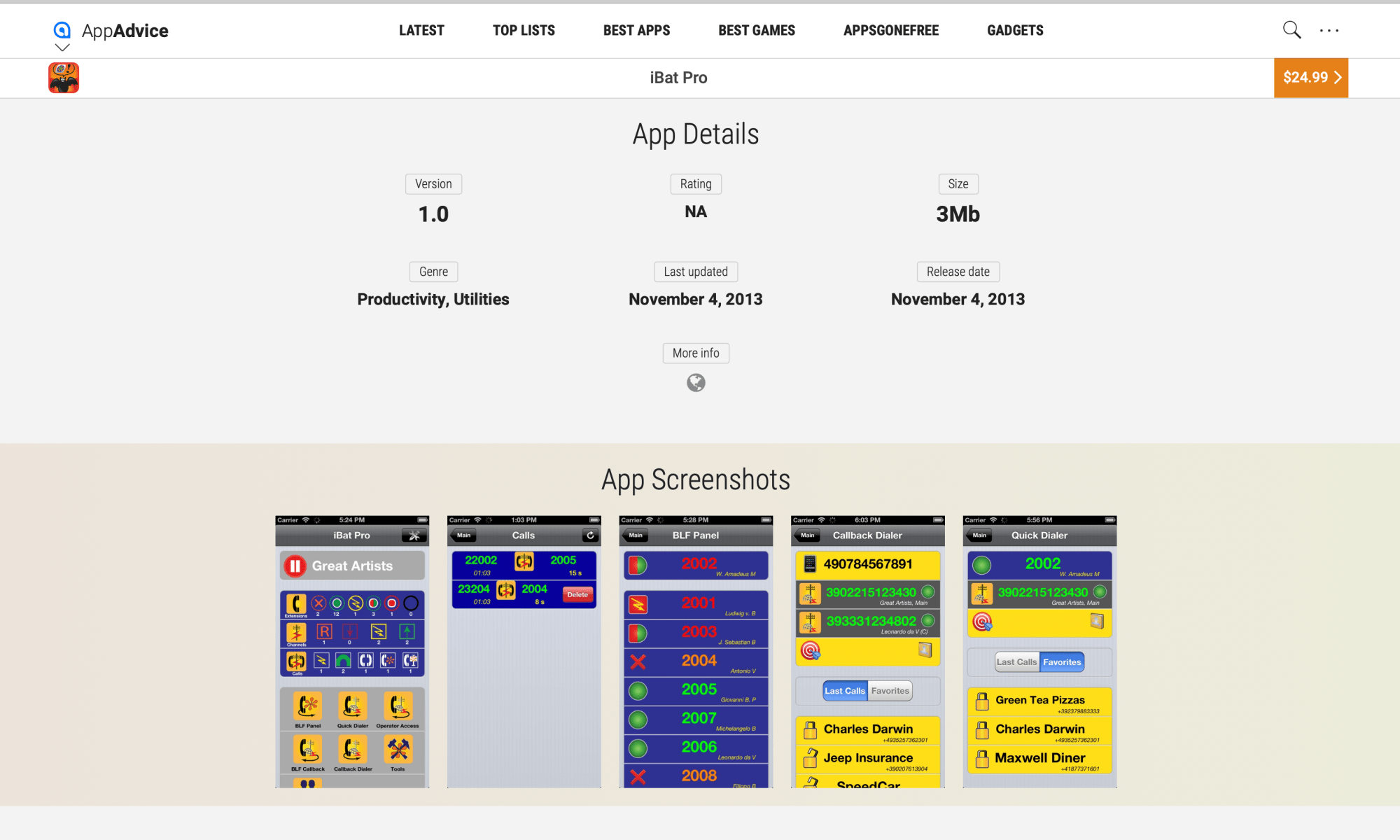
The web (and specifically the nice website AppAdvice) knows better than me: November 4th, 2013. It still has traces of so many minor things, even of my first apps!

This is something unexpected that I noticed on a casual Google search, just after seeing the natural ‘Hello World’ post starting this blog go live, a few days ago. This blog takes the name from those apps.

I was stunned by the still familiar look of all the screens, icons and graphics of my first apps, that have filled so many of my days quite some time ago.

Since then I never thought I would ever see them out of a Google search. Ever.

And yet, there they are, been always hiding just a Google search away.

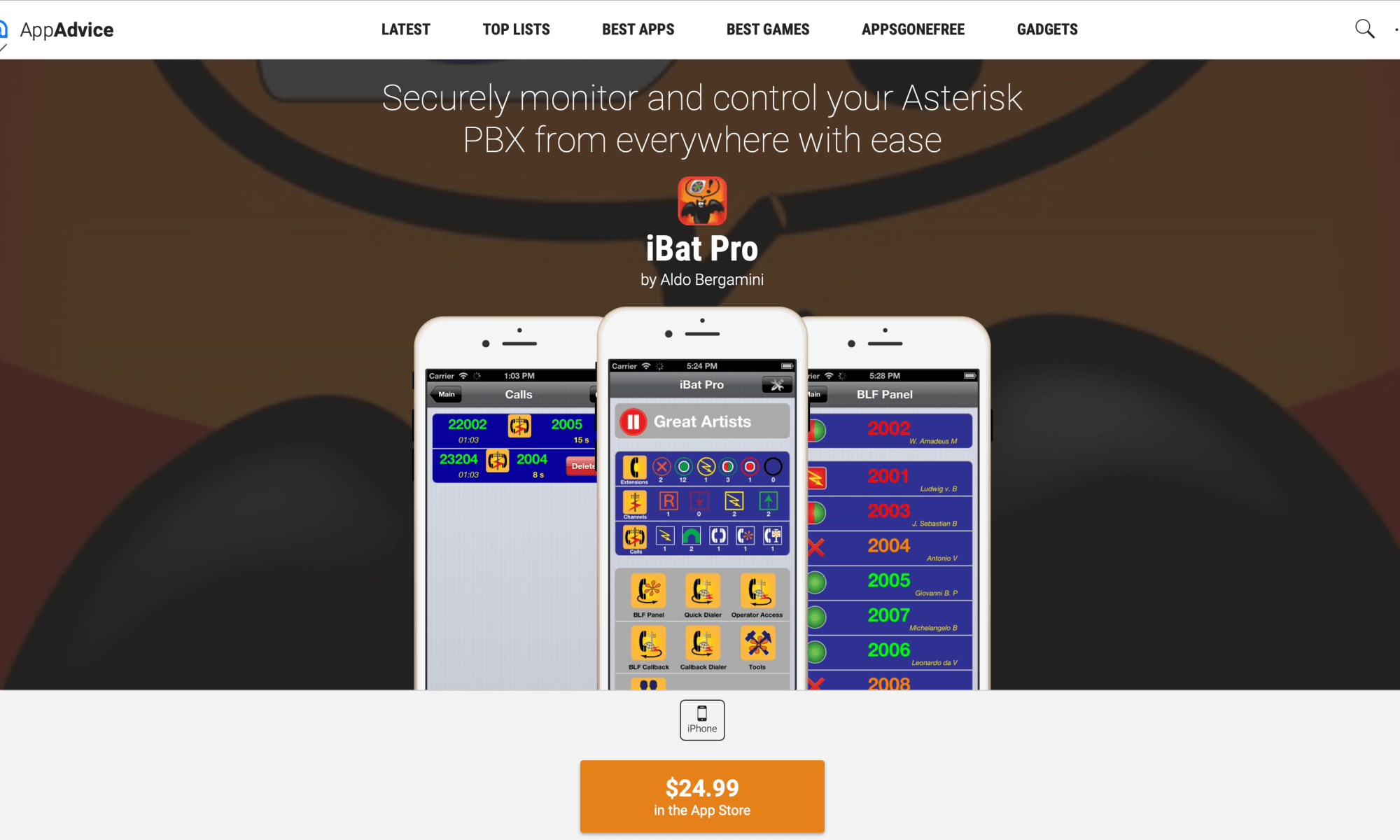
On top of this surprising flashback effect, the AppAdvice web page that shows the most expensive one (iBat Pro) in my telephony suite of four apps, looks -still today, imho- way better than the small website I had to painfully setup to get past Apple’s minimal approval requirements for apps publishing.

I am amazed about the effect of rendering one of the app’s screens on the picture of an iPhone 6, just to make the page more lively.
It looks real!

Even more surprising, because while the iPhone 6 did may be existed as an advanced hardware prototype in the secret rooms of the industrial design group at Apple back in 2013, certainly it was not in my hands to see how slick my very coloured, skeuomorphic icon graphics would look on that giant screen.

I had still an iPhone 4 in 2013; I only got an iPhone 5s in early 2014 to replace the stolen older one. Finally, I got the iPhone 6 just late in 2014 when the iBat Apps were already frozen in (my personal) history. But this is another story…
As a matter of fact I never saw those apps on that big screen. Until now.

So, I am very happy -after so many years of third party apps development- to see a couple of very ‘well known faces’, again…


Hello Again, iBat Apps

Again & Louder: Will It Blend?

That is the still question!

The first blending attempt did not show any result. So, as with any software testing situation, you:

  1. Go back to square one
  2. Fiddle with code / configuration or other obscure aspects of your system
  3. Feel finally confident that you made a change and that the change will make a good impact
  4. Compile and Run

So, here we are: Compile and Run (aka: Publish) this post!

Fingers crossed!

Will It Blend?

That is the question…

As in a circus, any new post is a new challenge. Luckily without risk.

In a relaxed setup, like that of a blog where at some point I will begin the discourse over the topic I am interested in, testing can be done without the safety net.

A failure is simply the way to understand how some aspect of WP really works.

In this post the goal is to see if the picture I selected will really show up in my Instagram account, be it as a post by itself or as a reference to this post, that anyways shows the picture.

Fingers crossed!

A scheduled one

Scheduled to say what?

To understand how WordPress works one does not really have to say a lot.

Even an empty and very short kept post can be used to see how it is about scheduling a post for ‘tomorrow morning’.

The only difficult aspect is to decide if this post should have a picture – as we have less than thousand words, anyways… Or not?